
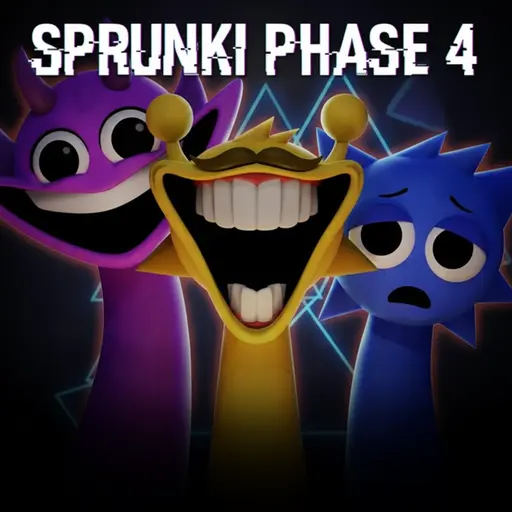
About Sprunki Phase 4
Sprunki Phase 4 on this page is the fan-made build identified inside the player as Incredibox – Sprunki Phase 4 realcat ver. It is packaged with TurboWarp, a tool for running Scratch projects in the browser. The build uses the familiar character-and-loop mixing format, but it is not an official Incredibox release and should not be merged with every other project that uses the Phase 4 name.
The exact Phase 4 build on this page
“Sprunki Phase 4” is an ambiguous fan label. Multiple creators and mirror sites use it for different rosters, remakes and horror edits. The reliable identifier here is the title embedded in the runtime: realcat ver. Advice for a Definitive edition, a Phase 3 remake or an “Everyone Is Alive” edit may describe different art and sounds.
The package does not expose a verified creator credit in its HTML shell, so this guide does not assign the build to NyankoBfLol or another modder. NyankoBfLol is associated with the original Sprunki project, but that is not enough to prove authorship of this specific Phase 4 package.
How the mixing loop works
Use the icons and characters shown inside the player to assemble overlapping loops. Choose one sound, place it on an available character, listen through a full cycle, and then decide whether the next layer supports or hides it. The interface is visual, so the current on-screen response is the authority for selecting, replacing or removing a part.
- Start with one rhythmic sound so the cycle is easy to hear.
- Add a second part with a different role, such as melody, effect or voice.
- Listen for one complete loop before adding a third layer.
- Remove one part and compare the mix instead of filling every character immediately.
- Rebuild the combination in the same order if you want to test whether it is repeatable.
Give every layer a distinct job
A clear mix usually separates four functions. Beats establish pulse, effects add texture or transitions, melodies create the recognizable musical line, and voices add a foreground phrase or character. Those labels are a listening framework, not a promise that every icon is formally categorized by the build.
If the result becomes muddy, mute or remove the busiest layer first. Two parts occupying the same rhythmic space can mask one another even when each sounds good alone. A quieter effect can create more contrast than another full-volume melody.
Build a mix with three readable stages
Instead of treating the final combination as one unchanging wall of sound, plan an opening, a fuller middle and a reduced ending. Begin with rhythm, add the lead part after the pattern is established, then remove one or two layers near the end. The change itself becomes part of the arrangement.
To compare versions of a mix, alter only one character at a time. Replacing several sounds together makes it impossible to know which change improved the balance. A simple two-layer foundation also makes darker or more distorted sounds easier to evaluate.
Dark visuals do not define every Phase 4 variant
This realcat build uses a darker fan-made presentation, but “Phase 4” does not refer to one official canon shared by all Sprunki pages. Character condition, lore, animation and sound assignments can differ between projects. Treat what appears inside this player as build-specific design rather than proof about another mod.
If the runtime introduces a visual change after a particular icon or character is used, test that trigger separately. Return to a small mix, add the suspected trigger once, and compare the stage before and after. This is more reliable than importing a secret code from a different Phase 4 page.
Controls and session limits
The game runs as an interactive Scratch/TurboWarp canvas. Use mouse or touch input where the player displays draggable or clickable controls. No fixed keyboard shortcut is documented by the package shell. If the player does not respond, click once inside the canvas and wait for the large embedded project to finish loading.
This page does not promise an account, cloud save, export button, purchases or persistent mix storage. If the build shows a recording or save control, follow that visible interface. Otherwise, write down the character order or use your device’s own recording tools when you want to recreate a session later.
A focused first mixing session
- Audition three sounds separately before combining them.
- Choose the clearest rhythm as the foundation.
- Add one melodic or vocal focus, not both at once.
- Use one effect to create contrast.
- Perform a removal test on every layer.
- Keep the smallest combination that still expresses the intended mood.
That method works without assuming a universal character list or hidden unlock path. It also makes the page useful when another Phase 4 variant has a similar title but a different roster: verify the exact runtime first, then build from what can actually be heard and controlled.
Conclusion
Sprunki Phase 4 transforms modular musical arrangement into an accessible browser sandbox. By treating each beat, vocal drop, melody loop, and eerie cosmetic sound effect as an intentional acoustic building block—rather than layering all tracks at once—players can build distinctive, evolving soundscapes. For another rhythm-driven browser test where audio synchronization and visual cues dictate success, experience the beat-synced stages of Geometry Vibes X. If you enjoy unconventional indie atmosphere with suspenseful tension, experience the eerie holiday narrative in Santy Is Home.