
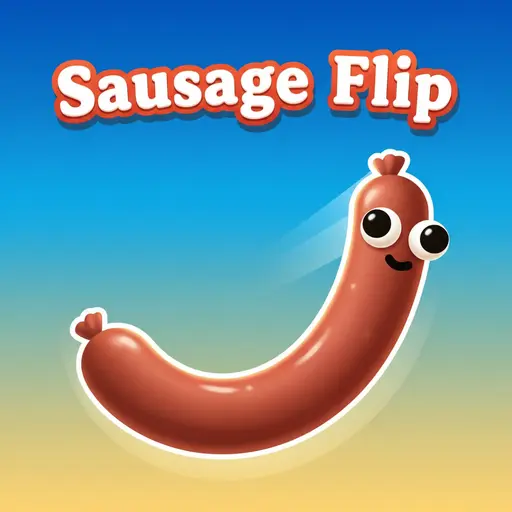
About Sausage Flip
Sausage Flip is a physics-based arcade game where you fling a flexible, ragdoll sausage across hazardous obstacle courses to cross a finish line. Originally released for mobile devices by MADBOX on January 9, 2019, the game is also widely played as a direct HTML5 web adaptation without requiring downloads or installations. Rather than relying on standard platforming movement, every jump functions like a slingshot puzzle: you pull back to set your trajectory and tension, release to launch, and rely on surface adhesion or calculated bounces to stay above the void.
Mastering the Slingshot: Launch Mechanics and Ragdoll Physics
Your sole objective in every stage is to propel the wobbly sausage from its starting perch across the finish line. The fail state is unforgiving—if your momentum carries you off a ledge or misses a target, falling into the empty space below immediately forces a stage restart.
Movement revolves entirely around a pull-back tension loop. When you drag backward from the sausage, an aiming indicator establishes both your launch angle and applied force. Releasing the input sends the sausage tumbling through the air. Because the character operates on ragdoll physics, its body folds, spins, and bends on impact rather than landing like a rigid block.
Understanding how that flexible body reacts to different surfaces separates quick clears from repeated falls. Hitting vertical sticky walls or flat ledges at a clean angle allows the sausage to adhere directly to the surface, stopping your momentum completely so you can line up the next shot. Striking hard platforms at a shallow, high-speed angle causes the sausage to bounce and skid forward, which can either carry you across wide gaps or fling you straight off the far edge.
Platform Controls and Version Differences
Because the game exists both as MADBOX’s original mobile app—available via Sausage Flip on the Apple App Store and its corresponding Google Play Store listing—and as widely distributed HTML5 browser adaptations (which various web portals attribute to distributors like YAD.Com or leave uncredited), input handling and mid-air mechanics vary depending on where you play. Furthermore, PC players should note that this arcade title is completely distinct from the unrelated PC Steam game “a weird game about sausage”.
| Feature | Browser / PC Web Adaptation | Mobile App (iOS & Android) |
|---|---|---|
| Primary Controls | Click and drag with the mouse to aim and set power, release to launch. Select browser distributions also support the A and D keys for directional control. | Tap and drag on the touchscreen to aim, release to launch, and tap again mid-flight to stick to walls. |
| Mid-Air Slow-Motion | Version-dependent; most web builds focus on continuous real-time launches from resting points. | Prominent slow-motion aiming mechanic when preparing mid-air trajectories. |
| Level Count | 100+ to 150+ levels depending on the specific portal build. | 100+ to 150+ levels depending on the app update state. |
| Access & Monetization | Free-to-play instant browser access; no installation required. | Free download with in-app purchases and ads; rated 4+ on iOS and 3+ on Android. |
Tactical Hazard Guide: Overcoming Environmental Obstacles
Early stages only ask you to clear static gaps, but the course design quickly introduces moving machinery and destructible barriers. Surviving mid-to-late-game layouts requires adjusting how you use the physics engine.
Dynamic Obstacle Counters
- Spinning Wheels and Pinwheels: Never aim directly against the rotation of a spinning wheel, as the blades will bat the sausage downward into the void. Instead, aim for the top or outer edge moving in the direction of the finish line, allowing the wheel’s rotational momentum to fling you forward.
- Moving Platforms: Because your launch has travel time, aiming directly at a moving platform’s current position will result in a miss. Lead your target by releasing your drag just before the platform slides into your firing arc.
- Breakable Blocks: Certain barriers shatter upon impact or begin collapsing the moment you stick to them. When smashing through breakable blocks, immediately prepare a second launch to use the falling fragments as temporary mid-air footholds before they drop out of reach.
- Sticky Walls: Use vertical adhesive surfaces as brakes. If a high-velocity jump threatens to overshoot a narrow landing zone, aim directly into a sticky wall above the platform to kill your forward momentum and drop safely into place.
Trajectory Management and Recovery
The most common mistake in Sausage Flip is pulling the slingshot back to 100% power on every jump. Maximum force flattens your arc and generates massive kinetic energy, causing the ragdoll body to ricochet wildly off platforms instead of settling down. Throttling your pull-back to medium tension produces higher, softer arcs that land cleanly on narrow ledges.
When a bad bounce leaves the sausage wedged directly underneath an overhang or folded at an angle where forward jumps are blocked, do not force a forward shot. Use a light, controlled flick to backtrack to the previous platform. Resetting your position backward gives you the clearance needed to establish a clean, unobstructed firing arc over the obstacle.
Course Progression and Cosmetic Unlocks
Progression spans between 100 and over 150 levels depending on the version you are playing. Rather than relying on a strict timer, difficulty scales by combining hazards—forcing you to bounce off a spinning wheel directly onto a moving platform while avoiding breakable gaps. While some game guides and builds reference point bonuses for well-timed landings, score tracking is inconsistent across versions; your primary focus is always stage completion.
As you clear courses, you unlock cosmetic skins that transform the sausage’s visual appearance. These skins are purely aesthetic and do not alter the weight, bounce, or adhesion properties of your character.
Frequently Asked Questions
Can I play Sausage Flip on PC without an emulator?
Yes. While some desktop players run the Android version through an emulator, the HTML5 adaptation runs directly inside modern web browsers using standard mouse click-and-drag controls.
How do I stick to walls on PC versus mobile?
In mobile versions, tapping the screen while airborne triggers surface adhesion. In browser builds, sticking happens automatically when you launch the sausage onto sticky surfaces or land at an appropriate angle using the mouse drag-and-release loop.
Does browser progress save automatically?
Web builds do not use verified external cloud accounts or cross-platform logins, and exact browser save mechanics (whether a given portal uses local storage or session-only memory) are undocumented. As a result, your stage progression and unlocked skins may not persist if you close your session, clear your browser data, or switch devices.
Final Flight Check: Control Over Force
Clearing the toughest stages in Sausage Flip rarely comes down to how far you can fling your character in a single bound. The physics engine rewards patience—using half-power hops to settle onto moving ledges, riding the spin of pinwheels rather than fighting them, and having the discipline to jump backward when a bad landing ruins your angle. Master tension control, and even the most chaotic multi-hazard gauntlets become predictable.