
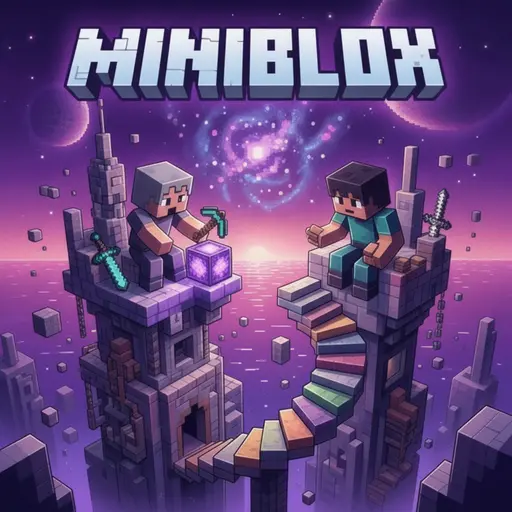
About Miniblox
Miniblox is a captivating online, multiplayer, voxel-based sandbox game that blends creative block-building with dynamic competitive gameplay. Developed by ‘Miniblox,’ with ‘Vector’ as the lead coder and ‘Victor Wei’ and ‘Howard’ contributing, this title offers an expansive, accessible, and deeply engaging digital playground.
Heavily inspired by the genre-defining Minecraft, Miniblox successfully combines open-world creativity with thrilling multiplayer minigames and classic survival elements. Players can explore vast worlds, unleash their imagination through building intricate structures, gather essential resources, craft various items, survive against monsters, and compete with friends or other players.
Miniblox: Your Free, Online Voxel Adventure
A Minecraft-Inspired Sandbox for Every Device
Drawing significant inspiration from Minecraft, Miniblox provides a familiar yet distinct experience. It marries the freedom of a creative sandbox with structured competitive multiplayer minigames and the challenge of survival. What sets Miniblox apart in accessibility is its browser-based nature: it requires no download, installation, or app store interaction. This means it’s playable on virtually any device with a modern web browser, including Windows, Mac, Linux computers, Chromebooks, phones, and tablets, offering instant fun wherever you are.
Key Features at a Glance
- Browser-Based Play: No download or installation needed, accessible instantly.
- Multiplayer Focus: Play with friends or compete with others online.
- Voxel Sandbox: Unleash creativity through block-building and world exploration.
- Diverse Game Modes: Choose between Survival, Creative, and numerous competitive minigames.
- Character Customization: Personalize your avatar with skins and pets.
- Cross-Device Compatibility: Enjoy consistent gameplay across PC, mobile, and tablets.
Get Started Instantly: No Download Required
Play Miniblox Anywhere: Browser-Based Accessibility
Miniblox offers universal accessibility; no app stores or large downloads are needed. Simply open a modern web browser on your preferred device, visit the official Miniblox website, and start playing. This seamless entry point ensures instant fun on Windows, Mac, Linux computers, Chromebooks, phones, or tablets, as the game automatically adapts controls to your platform.
First Steps: Navigating Your First World
Upon starting Miniblox, players choose between core game modes: Survival and Creative. In Survival, you gather resources, craft, build shelters, and endure against environmental challenges and green monsters. Creative mode grants unlimited resources and freedom to build anything imaginable. Objectives are broad: explore, build creatively, or compete in minigames. The game auto-saves progress, though proper logout is recommended for data integrity.
Mastering Miniblox Controls
Miniblox offers intuitive controls tailored for both PC and mobile devices, ensuring a smooth and responsive gameplay experience regardless of your platform. PC players benefit from a comprehensive keyboard and mouse setup, while mobile users can immerse themselves with touch controls.
PC Keyboard & Mouse Commands
For players on desktop or laptop computers, Miniblox utilizes a standard and efficient keyboard and mouse control scheme. These controls allow for precise movement, quick interaction, and efficient inventory management.
| Key/Action | Description |
|---|---|
| WASD | Move character (Forward, Left, Backward, Right) |
| Space bar | Jump (double-tap in Creative mode to fly) |
| Shift | Sprint / Fast movement |
| Alt | Crouch / Sneak (prevents falling off blocks) |
| Left Click | Mine blocks, attack enemies, interact with objects |
| Right Click | Place blocks, use items, interact with inventory |
| E | Open/Close Inventory |
| Q | Drop selected item |
| 1-9 | Select items in the hotbar |
| Enter / T | Open chat window to communicate with other players |
| P | Pause the game |
Seamless Mobile Touch Controls
On mobile devices, Miniblox leverages intuitive touch controls designed for optimal play on phones and tablets. Movement is typically managed through an on-screen joystick, while interactions like mining, placing blocks, and attacking are performed via dedicated touch buttons. Inventory management and other actions are also streamlined for touch interfaces, ensuring a comfortable and responsive experience for players on the go.
Explore Diverse Worlds & Game Modes
Miniblox offers a rich tapestry of gameplay experiences, from solo exploration and building to intense multiplayer competitions. Its core modes lay the foundation for creativity and survival, while an extensive list of minigames provides endless competitive fun.
Survival Mode: Craft, Build, and Endure
In Survival mode, players are dropped into a vast, procedurally generated world with nothing but their wits. The core loop involves gathering resources like wood, stone, and minerals by mining and harvesting. These resources are then used to craft essential tools, weapons, armor, and structural blocks. Building a secure shelter is crucial before nightfall, as green monsters appear, posing a threat to unprepared players. The objective is to survive, explore, and thrive in a challenging environment.
Creative Mode: Unleash Unlimited Building Freedom
For those who prefer pure construction and artistic expression, Creative mode offers an unparalleled canvas. Players have access to an unlimited supply of every block and item in the game, allowing for the construction of anything imaginable without the constraints of resource gathering or survival. In Creative mode, the Space bar can be double-tapped to enable flying, granting players complete freedom to build from any perspective and scale.
Multiplayer Minigames: Compete for Victory
Miniblox truly shines in its vibrant multiplayer minigame scene. These diverse modes offer competitive objectives, ranging from PvP combat to parkour challenges, catering to a wide array of playstyles. Scoring is often implicit, focusing on objectives like being the ‘last one standing’ or achieving the ‘most kills’.
Popular Minigames & Objectives
The game features an impressive roster of minigames, each with unique rules and goals. Here’s a breakdown of some of the most popular:
| Minigame | Core Objective | Brief Description |
|---|---|---|
| Skywars | Last player or team standing | Compete on floating islands, gather resources, and eliminate opponents to be the sole survivor. |
| Eggwars | Protect your team’s egg and destroy others’ | Team-based combat (doubles/quads) where players gather resources, upgrade gear, and eliminate opponents by destroying their team’s egg. |
| KitPvP | Achieve the most eliminations | Free-for-all PvP combat where players select a pre-defined kit with weapons and armor before battle. |
| Spleef | Be the last player on the map | Destroy blocks beneath opponents to make them fall, aiming to be the last one standing on the shrinking arena. |
| Bridge Duels | Defeat your opponent or cross the bridge | Intense 1v1 PvP combat across a narrow bridge, often with limited resources or specific weapon sets. |
| One in the Quiver | Most kills with limited resources | PvP mode where players start with a bow and one arrow, gaining an arrow back with each kill. |
| Classic PvP | Defeat opposing players | Standard player-versus-player combat in an open arena, focusing on traditional Minecraft-style PvP mechanics. |
| Parkour | Complete challenging obstacle courses | Navigate intricate sequences of jumps and environmental puzzles, testing agility and precision. |
| Murder Mystery | Identify and eliminate the murderer (or survive/kill) | A social deduction game where players are assigned roles: innocent, detective, or murderer. |
| Block Hunt | Hide effectively or find hidden players | A hide-and-seek variant where players transform into blocks to hide from hunters. |
| Blitz Build | Build the best structure within a time limit | Players are given a theme and limited time to construct a creative and impressive build, judged by others. |
| Skyblock | Survive and expand a small floating island | A challenging survival mode where players start on a tiny island with minimal resources and must expand using ingenuity. |
| OneBlock | Level up your single block to unlock new materials | A unique survival mode where players mine one block repeatedly, which regenerates and levels up to provide increasingly valuable resources. |
Additionally, players can delve into PitPvP, TNT Tag, Plots, Survival (Keep Inventory), Superflat maps, Jump Parkour, and Spiral Parkour, ensuring a constant stream of new experiences. For more detailed community-driven information and specific mechanics, consult the Miniblox Fandom Wiki.
Create & Host Your Own Custom Worlds
Players aren’t limited to the public servers and minigames; Miniblox allows you to create and host your own custom worlds, often referred to as ‘planets’ on community wikis. These worlds can have unique terrains and custom seeds, providing a personalized canvas for building or setting up private games with friends. This feature significantly enhances the social and creative aspects of the game, empowering players to design their ideal play spaces.
Progression, Customization & Account Benefits
Miniblox offers several avenues for players to personalize their experience and showcase their dedication, from cosmetic unlocks to exclusive ranks, all tied to an optional but highly beneficial account system.
Earn Coins for Skins and Pets
As you play various games and log in daily, you’ll earn in-game coins. These coins are the primary currency for purchasing new skins and other cosmetics to customize your character’s appearance. Beyond skins, players can also acquire pets, which follow them around and add a personal touch to their avatar. This system encourages active participation and rewards consistent play with unique aesthetic choices.
Unlock Exclusive Ranks: Legend, Immortal, Eternus
For players looking to further distinguish themselves, Miniblox features a rank system that offers additional benefits. The ‘Legend’ rank is available as a one-time payment, providing permanent perks. Higher-tier ranks, ‘Immortal’ and ‘Eternus,’ are typically offered as a monthly subscription. Interestingly, these prestigious ranks can also be obtained by inviting five friends to the game, providing a social pathway to premium benefits without direct monetary cost. These ranks often come with exclusive cosmetics, access to certain features, or in-game advantages.
Saving Your Progress and Cross-Device Play
While Miniblox does feature auto-save functionality, creating a free account is highly recommended for a robust and persistent experience. An optional account provides several crucial benefits:
- Saved Progress: Your builds, inventory, and world progress are securely stored.
- Statistics Tracking: Keep a record of your accomplishments and stats across all game modes.
- Unlocked Items: All purchased skins, pets, and other cosmetic unlocks are tied to your account.
- Daily Rewards: Account holders can claim daily login bonuses, accumulating coins and other benefits.
- Friends Lists: Easily add and manage friends, facilitating social play.
- Cross-Device Play: Access your saved game and cosmetics seamlessly from any device where you log in.
It is important to note that while auto-save is present, properly logging out of your account or closing the browser tab/app is always recommended to avoid any potential data loss.
Playing with Friends: Social Features
Miniblox places a strong emphasis on social interaction, making it easy and fun to connect and play with others. The game’s features are designed to facilitate multiplayer experiences, whether you’re building collaboratively or competing head-to-head.
Add Friends, Create Rooms, and Invite Players
The game’s social features allow players to easily add friends to their friends list, fostering a connected community. Once friends are added, players can create custom rooms or worlds and invite their friends to join them. This enables private play sessions for building projects, friendly minigame competitions, or collaborative survival efforts. The ability to create custom rooms means you have control over who joins your game, making for a more personalized and secure multiplayer environment.
Understanding In-Game Chat
Miniblox includes an in-game chat system, allowing players to communicate with each other during gameplay. On PC, pressing ‘Enter’ or ‘T’ opens the chat window. While this enhances social interaction, parents should be aware that, like any online chat environment, it may require parental monitoring for younger players. The chat is a key feature for coordinating in minigames or simply socializing in creative worlds.
Miniblox for Parents: Safety, Age Suitability & Monetization
As a popular online game, parents often seek clarity on Miniblox’s suitability for children, its content, and its monetization practices. While there is no official age rating, information suggests guidance for parental discretion.
Age Recommendation and Content Overview
Miniblox is generally considered suitable for ages 6 and up, though some sources suggest 8+ primarily due to the presence of in-game chat. It is important to note that there is no official age rating, so parental discretion is strongly advised. The game’s combat elements, which appear in Survival mode and various minigames, are blocky and cartoonish, completely devoid of realistic violence or gore. Enemies, such as the green monsters in Survival, are depicted in a non-threatening, pixelated style. The overall aesthetic is vibrant and friendly, consistent with the voxel genre.
Optional Accounts: Benefits and Parental Guidance
Account creation in Miniblox is entirely optional but provides significant benefits such as saving progress, unlocking cosmetics, and accessing daily rewards. If an account is created for a younger player, it enables cross-device play and friend list functionality. Parents should be aware of the in-game chat feature, which allows players to communicate. While chat is often filtered, direct monitoring or discussing online safety with children is a prudent measure for parents.
In-Game Purchases and Advertising
Miniblox is free to play, offering a complete experience without any mandatory purchases. However, the game does include optional purchases, primarily for its rank system (Legend, Immortal, Eternus) and cosmetic items like skins and pets. These cosmetic items can often be purchased using earned in-game coins, meaning real money isn’t always required for customization. The game also uses ads, which are integrated into the browser experience, indicated by an internal ‘/play’ command. These ads help support the free-to-play model.
Miniblox History: From Blockcraft to Today
The journey of Miniblox, while relatively recent under its current name, reflects a continuous evolution in the online voxel sandbox space. The game officially adopted the name Miniblox on October 17th, 2022, with the release of version 2.0. This renaming signifies a significant update and rebranding, building upon its foundations and heavily drawing inspiration from the successful formula of Minecraft. While other platforms might cite earlier “release” dates (e.g., January 2019 or October 2nd), these likely refer to previous iterations or precursor projects before the official Miniblox identity was established. This clarifies that Miniblox, as we know it today, is a refined and renamed version of an existing and evolving game experience.
Essential Tips for New Miniblox Players
For those just embarking on their Miniblox journey, a few strategic tips can significantly enhance your experience, whether you’re building, surviving, or competing.
- Prioritize Survival Basics: In Survival mode, immediately gather wood and stone to craft basic tools. Build a small, enclosed shelter before nightfall to protect yourself from green monsters. Don’t linger in the open after dark.
- Master Creative Flight: When in Creative mode, remember to double-tap the Space bar to activate flight. This allows for rapid traversal and unparalleled freedom in constructing large or complex builds from any angle.
- Learn Minigame Objectives: Before diving into a competitive minigame, take a moment to understand its core objective. Whether it’s protecting your egg in Eggwars, being the last one standing in Skywars, or collecting the most points, knowing the goal will guide your strategy and improve your chances of success.
- Utilize Account Benefits: Creating a free account is highly recommended. It safeguards your progress, stores your unlocked skins and pets, provides daily login bonuses, and enables you to easily manage friends across different devices.
- Explore Custom Worlds: Don’t just stick to public servers. Experiment with creating your own custom worlds to practice building, test new strategies, or enjoy private sessions with friends.
Frequently Asked Questions
Is Miniblox free to play?
Yes, Miniblox is completely free to play. While it offers optional in-game purchases and displays ads, you can access and enjoy the core game and its numerous modes without spending any money.
Do I need to download Miniblox?
No, Miniblox is a browser-based game and does not require any download, installation, or app store interaction. You can play it directly in your web browser.
What devices can I play Miniblox on?
Miniblox is highly accessible and can be played on any device with a modern web browser, including Windows, Mac, Linux computers, Chromebooks, phones, and tablets.
Is Miniblox like Minecraft?
Yes, Miniblox is heavily inspired by Minecraft. It features similar voxel-based block-building mechanics, survival elements, and a creative mode, along with a wide array of multiplayer minigames.
How do I save my progress in Miniblox?
The game features auto-save functionality. However, creating a free account is recommended to ensure your progress, stats, unlocked items, and builds are securely saved and accessible across different devices.
What are the main game modes?
Miniblox offers two core modes: Survival (gather resources, craft, build, survive against monsters) and Creative (unlimited resources, free building). Additionally, there are numerous multiplayer minigames like Skywars, Eggwars, KitPvP, and Parkour.
Can I play Miniblox with friends?
Absolutely. Miniblox has robust social features that allow you to add friends, create custom rooms, and invite others to join your worlds or minigames for a shared experience.
Is Miniblox suitable for young children?
Miniblox is generally considered suitable for ages 6 and up, though some suggest 8+ due to in-game chat. Combat is blocky and cartoonish, without realistic violence. Parental discretion is advised, especially regarding chat monitoring.
Are there in-game purchases or ads?
Yes, Miniblox includes optional in-game purchases, primarily for ranks (Legend, Immortal, Eternus) and cosmetic items (skins and pets), which can also often be obtained with earned in-game coins. The game also displays ads to support its free-to-play model.
Who developed Miniblox?
Miniblox is developed by ‘Miniblox,’ with ‘Vector’ as the primary coder and ‘Victor Wei’ and ‘Howard’ as contributors.
Miniblox: Accessible Voxel Creativity and Competition
Miniblox delivers a robust, free-to-play voxel sandbox experience that combines the open-world creativity of building with the thrill of competitive multiplayer minigames, all accessible directly through a web browser on virtually any device. Its “Minecraft-inspired” core, coupled with unique progression systems, optional accounts for saving progress, and a strong emphasis on social play, makes it an excellent choice for players seeking instant fun without downloads. With clear parental guidance regarding chat and optional purchases, Miniblox offers a vibrant, engaging, and versatile platform for creative expression and friendly competition.