
About Super Mario 64
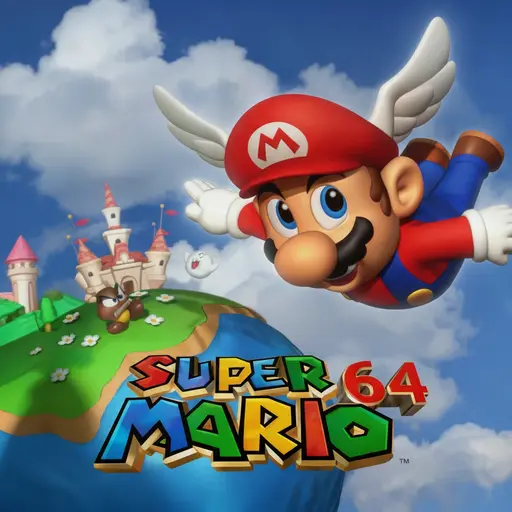
Super Mario 64 is widely recognized as one of the most groundbreaking and influential video games ever created. Originally released in 1996 as the flagship launch title for the Nintendo 64, it established the fundamental vocabulary of three-dimensional movement, dynamic third-person camera control, and non-linear sandbox level design that continues to define 3D gaming today. Through our optimized browser-native port, players can dive straight into Princess Peach’s Castle, leap through magical oil paintings, and collect Power Stars at a silky-smooth 60 frames per second directly in modern web browsers without requiring standalone emulator installs or ROM downloads.
What makes Super Mario 64 timeless is its extraordinary mechanical depth and athletic momentum. Mario’s movement kit is not merely a means of traversing from point A to point B; it is an expressive acrobatic playground. Combining basic running with timed jumps yields high-flying triple jumps, kinetic wall kicks, long-distance leaps, and precise sliding belly dives. Every world—from the sun-drenched hills of Bob-omb Battlefield to the treacherous lava oceans of Lethal Lava Land—serves as an open-ended puzzle box where spatial creativity and athletic dexterity are richly rewarded.
Verified Controls and Key Bindings
This browser edition of Super Mario 64 has been mapped for intuitive keyboard operation. The controls faithfully replicate the classic Nintendo 64 controller layout, ensuring full access to Mario’s acrobatic repertoire:
| Action | Primary Keyboard Key | Secondary / N64 Equivalent | Mechanical In-Game Utility |
|---|---|---|---|
| Start / Advance Title | Enter |
Start Button | Presses START to advance past the Mario face title screen and open the in-game pause menu. |
| Move / Steer | WASD |
Arrow Keys (Analog Stick) |
Controls Mario’s 360-degree walking and sprinting direction, swimming angle, and flight pitching. |
| Jump / Confirm / Swim | X |
L (A Button) |
Executes jumps, confirms menu selections, flaps arms while swimming, and triggers triple jump chains. |
| Punch / Attack / Dive | C |
K (B Button) |
Punches, kicks, grabs objects/Bob-ombs, reads signs, and initiates forward diving slides mid-air. |
| Crouch / Ground Pound | Spacebar |
Z-Trigger (Z Button) | Crouches; press while airborne to execute a Ground Pound; hold while running to perform a Long Jump. |
| Camera Rotate Left / Right | Q / E |
C-Left / C-Right | Pivots the Lakitu camera horizontally around Mario to inspect landing zones and hidden secrets. |
| Camera Zoom / Perspective | R / F |
C-Up / C-Down | Toggles between close-up Mario view, wide overview perspective, and first-person inspection mode. |
| Save File / Menu Selection | Left Mouse Click |
Hand Cursor | Moves and clicks the hand cursor on the “Select File” screen (Mario A, Mario B, Mario C, Mario D). |
Acrobatic Movement and Jump Mechanics
To collect all 120 Power Stars, players must graduate from basic hops to advanced jumping maneuvers. Mario’s momentum system allows inputs to chain seamlessly into one another:
1. The Triple Jump
While sprinting forward at maximum speed, pressing Jump (X) executes a standard hop. Timing a second jump the instant Mario touches the floor creates a higher secondary leap. Timing a third consecutive jump immediately upon landing triggers the spectacular Triple Jump, complete with a celebratory somersault that provides immense vertical clearance, allowing you to reach high platforms and castle ledges.
2. The Long Jump
The Long Jump is the fastest horizontal movement tool in the game. While running forward, tap Crouch (Spacebar) and immediately press Jump (X). Mario will launch forward in a low, aerodynamic arc that spans massive chasms and outruns enemy boulders. Chaining long jumps together across flat terrain is the signature technique for rapid speedrunning traversal.
3. The Wall Kick
When jumping toward a flat vertical surface, Mario will briefly make contact with the wall. Pressing Jump (X) at the precise moment of wall impact causes Mario to kick vigorously off the masonry, launching upward and away from the surface. Chaining wall kicks between narrow corridors allows you to scale impossible heights without needing staircases.
4. The Side Somersault and Backflip
To execute a Backflip, crouch in place with Spacebar and press Jump (X) to launch straight upward with high backward clearance. To perform a Side Somersault, sprint hard in one direction, abruptly flick the directional key in the exact opposite direction to skid, and press Jump (X) during the skid animation. Mario will flip high into the air with instant vertical height from a standing start.
5. Ground Pound and Belly Dive
Pressing Crouch (Spacebar) while in mid-air abruptly halts Mario’s forward momentum and drives him straight down in a devastating Ground Pound. This instantly crushes wooden stakes, opens secret cages, and defeats armored enemies like Whomp King. Meanwhile, pressing Attack (C) while sprinting or jumping initiates a belly dive, allowing you to slide under low obstacles or dive across small gaps to grab onto ledges.
Super Mario 64 Gameplay Walkthrough
Peach’s Castle and World Progression
The central hub of Super Mario 64 is Princess Peach’s Castle, a majestic interactive environment containing hidden doors, star-locked gates, secret slides, and water-level switches. Progress is measured through Power Stars, which are obtained by completing specific objectives inside each painting world:
The Main Course Worlds
The castle houses 15 sprawling main courses, each containing 7 unique Power Stars (6 mission stars plus 1 star for collecting 100 yellow coins within the course):
- Bob-omb Battlefield (Course 1): The iconic introductory open world where you scale the mountain to duel Big Bob-omb, race Koopa the Quick, and ride cannon blasts to floating islands.
- Whomp’s Fortress (Course 2): A towering vertical stone arena featuring Thwomps, Piranha Plants, and the imposing Whomp King atop his fortress summit.
- Jolly Roger Bay (Course 3): A sunken pirate galleon mystery where you drain underwater caverns, lure a giant eel from its ship cabin, and navigate deep oceanic currents.
- Cool, Cool Mountain (Course 4): A snowy alpine wonderland featuring an indoor chimney ice slide, penguin rescues, and head-to-head toboggan racing.
- Big Boo’s Haunt (Course 5): A creepy wooden mansion populated by Boos, flying pianos, and secret trapdoors located in the castle courtyard.
The Cap Switches
Hidden throughout Peach’s Castle are three secret Cap Switch courses that permanently activate colorful translucent blocks across all worlds:
- The Wing Cap (Red Block): Grants Mario the power of soaring flight when performing a triple jump, letting you glide across open skies.
- The Metal Cap (Green Block): Transforms Mario into indestructible, heavy chromium metal, allowing him to walk under water currents and shrug off toxic gas.
- The Vanish Cap (Blue Block): Makes Mario intangible and transparent, allowing him to walk directly through wire grates, ice walls, and enemy attacks.
Bowser Showdowns
To rescue Princess Peach, you must defeat Bowser across three dramatic sub-courses: Bowser in the Dark World, Bowser in the Fire Sea, and Bowser in the Sky. In each boss arena, you must dodge Bowser’s fiery breath and shockwaves, circle behind him, grab him by the tail using Attack (C), rotate your directional keys to spin him with centrifugal force, and release him directly into floating perimeter spiked bombs!
Frequently Asked Questions (FAQ)
How do I start the game past the initial Mario face screen?
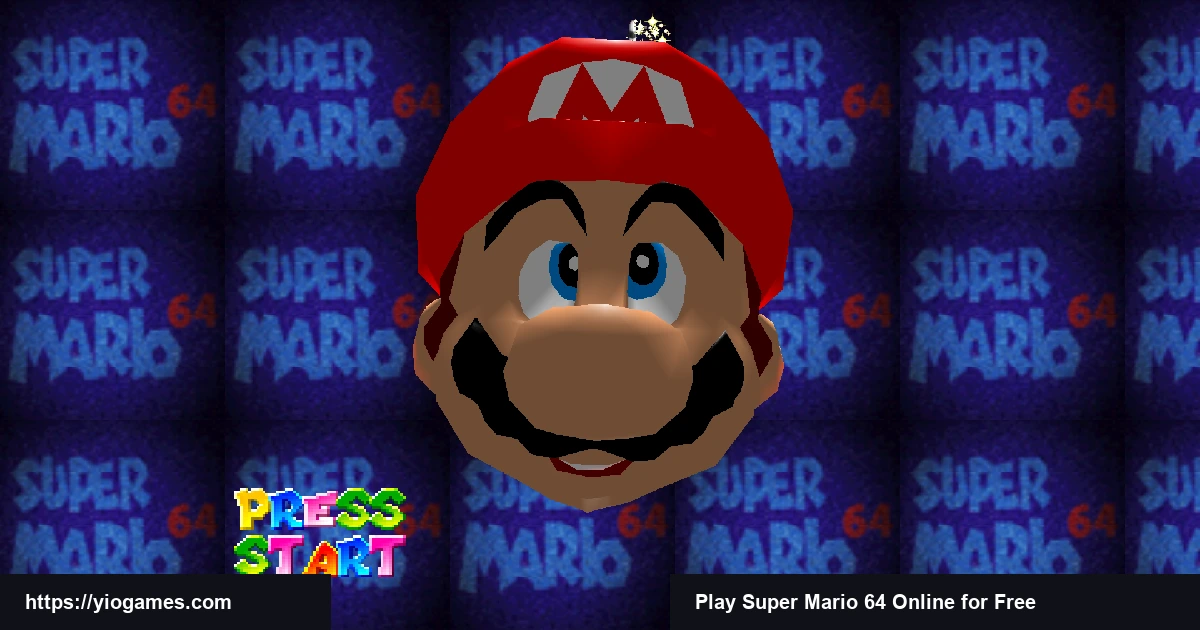
Press the Enter key on your keyboard. This acts as the N64 START button to advance past the interactive 3D title face into the file selection menu. You can then use your mouse to click on your chosen save file (Mario A).
Do I need an emulator or ROM to play Super Mario 64 here?
No. This edition runs via an optimized WebAssembly and WebGL engine directly within your browser. There are no files to download, no plugins to configure, and no third-party ROMs needed—everything loads instantly and natively.
How many Power Stars are required to beat the game?
While the game contains a total of 120 Power Stars, you only need 70 Stars to dispel the infinite staircase leading to the final confrontation with Bowser in the Sky. Dedicated completionists who collect all 120 Stars unlock the castle roof cannon to visit Yoshi!
What should I do if the camera angle gets stuck?
Use the Q and E keys to manually swing the Lakitu camera left or right around Mario. Tapping R or F will zoom the camera in or out to provide a wider field of view in cramped corridors.
Conclusion
Super Mario 64 remains the golden benchmark for 3D platforming excellence, combining revolutionary physics, timeless level architecture, and an unforgettable sense of whimsical discovery. Whether you are reliving fond childhood memories of climbing Bob-omb mountain or experiencing Mario’s maiden 3D voyage for the very first time, this seamless browser version delivers authentic retro magic at full speed. When you are ready to test your platforming reflexes in high-speed modern challenges, check out Cluster Rush, navigate cute trap mazes in Poor Bunny, or duel a friend in Tekken 3!