
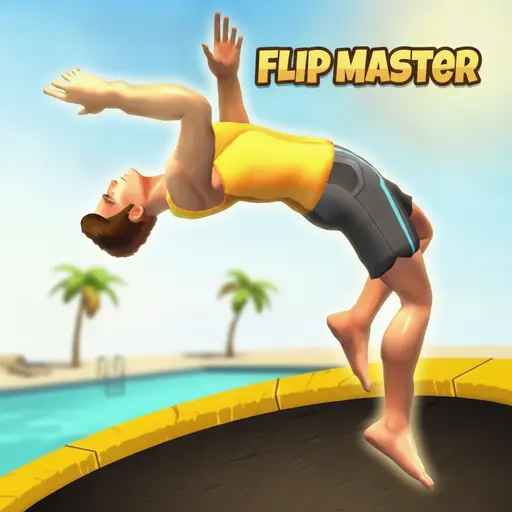
About Flip Master
Flip Master on this page is FPDA’s Unity acrobatics game, product version 1.0.1. It is not Miniclip’s older trampoline title with the same name. The FPDA build uses ragdoll movement, jumps and aerial rotation across obstacle-based courses, with success determined by controlling the body from takeoff to landing.
How the FPDA build controls
Use the mouse. Hold the left button to prepare or control the flip action and release to straighten the character for landing. The game introduces any context-specific action on screen. Because distributor descriptions disagree about extra keyboard bindings, this guide does not add arrow or Space controls that the embedded build does not document itself.
The important rhythm is hold, rotate, release, land. Releasing is as important as starting the flip: the character needs time to open from the rotation before reaching the target surface.
Landing before adding difficulty
Begin with one rotation. Watch how far the character turns between pressing and releasing, then adjust the hold time on the next attempt. If the character lands on the back, release earlier; if the feet pass the target while the body remains short of a full rotation, hold slightly longer.
- Read the landing zone first. Know where the feet need to arrive before starting the jump.
- Use height as time. A higher arc allows more rotation, but only if the release still leaves time to straighten.
- Change one input. After a failed landing, alter timing or direction, not both.
- Protect the center. A centered landing gives the next jump more room.
Obstacle courses and progression
The FPDA game mixes acrobatic movement with parkour-style obstacles and marked landing areas. Later situations ask for more precise takeoff timing or a controlled approach to a smaller target. Skills and locations can open as progress continues, but the value of an upgrade still depends on execution.
An upgrade that increases jump potential also increases the amount of rotation that must be managed. Test each change with a simple flip before attempting a complicated sequence. New arenas alter the space around the jump; they do not remove the need to open the body before landing.
Recovering from a failed attempt
Use the character’s orientation as the diagnosis. A head-first landing usually means the rotation continued too long. A short landing can mean the takeoff lacked height or the flip started too late. Missing the marked area sideways points to the launch direction rather than the amount of rotation.
This approach creates useful practice: each failure identifies one timing error. Repeating the same fast input without observing the body makes the ragdoll physics feel random even when it is responding consistently.
Exact identity and source limits
The runtime loader names the company as FPDA, the product as Flip Master and the version as 1.0.1. Game catalogs for this exact build describe it as a single-player Unity browser game centered on acrobatics, parkour, upgrades and locations. This article avoids importing characters, tricks, currencies or platforms from Miniclip’s different Flip Master.
No claim is made about saving, purchases, ads or universal touch support. Those details must be verified in the active runtime rather than inferred from another edition. For another movement game where clean landing matters, Vex 6 uses fixed Acts and checkpoint flags.
Treat every stunt as three phases
Every attempt has a takeoff, a rotation and a landing. During takeoff, establish a clean path away from the platform. During rotation, use the mouse hold only long enough to create the required flip. Before contact, release and let the body return toward a stable landing. Holding through all three phases removes the chance to correct.
Judge the result by which phase failed. Missing the obstacle entirely points to takeoff. Reaching it with the wrong body angle points to rotation timing. Touching correctly and then collapsing points to a late release or poor landing alignment. Changing the relevant phase is faster than making the whole attempt more aggressive.
Read the obstacle before adding another flip
Obstacle courses reward control rather than the largest number of rotations. Look at the height of the next platform, the available landing width and whether the path continues upward or forward. A narrow target needs an earlier release and fewer late corrections. A long gap may need more committed takeoff before the rotation begins.
Use small corrections near the landing
Large late inputs turn a nearly successful landing into an over-rotation. As the character approaches the surface, use the shortest correction the mouse control allows and watch the body’s contact angle. If an attempt repeatedly lands just past the target, reduce the takeoff or release slightly earlier instead of reversing the whole plan.
This guidance applies to the FPDA Unity build identified by its loader and product metadata, not Miniclip’s separate trampoline game with the same title. The visible obstacle course and hold/release mouse behavior are the version boundaries for this page.
Conclusion
Flip Master challenges players to master aerial momentum and rotational discipline on the trampoline. By focusing on center-bed landings, executing clean takeoffs, and avoiding late over-rotations, gymnasts can string together record-setting stunt multipliers. If you enjoy minimalist timing challenges where every leap demands absolute precision, test your reflexes in Jump Only.